
DNS Check API requests require API keys to authenticate connecting applications. Keys start with dnscheck_, followed by 40 letters and digits. We recommend using a different API key for each connecting application so you can revoke access to one without affecting others.
Access Levels
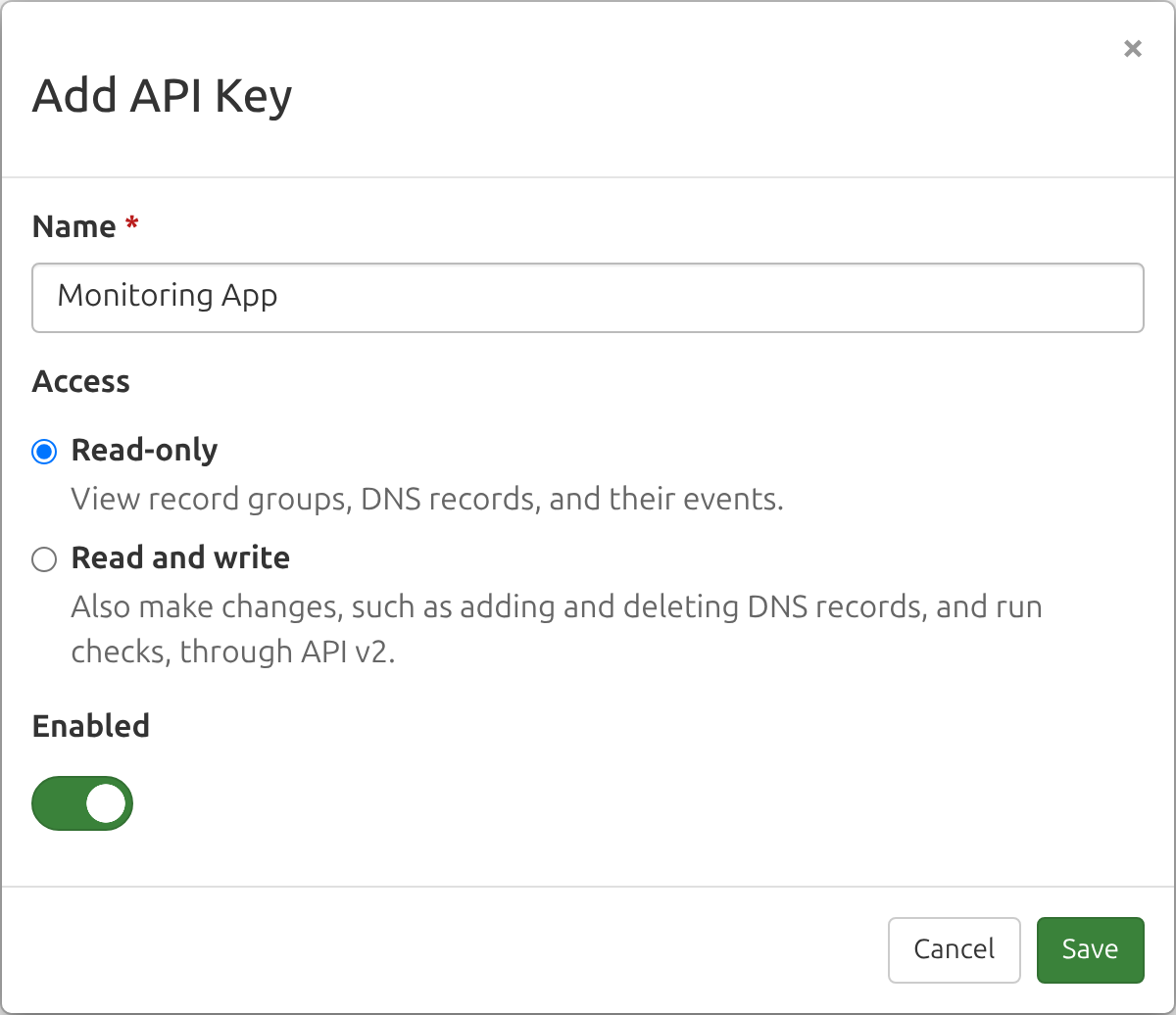
Each key has one of two access levels. Read-only lets it view your record groups, DNS records, and their events. Read and write also lets it add, change, and delete record groups and DNS records, and check DNS records on demand, through API v2. A read-only key can make only GET requests, and every other request needs a read and write key. The API reference pages show this in their Required access column, where Read means either key works. Give a key only the access it needs: a monitoring system that only reads status, or an AI agent you want to look but not touch, should get a read-only key. You can change a key's access later by editing it.
Authenticating Requests
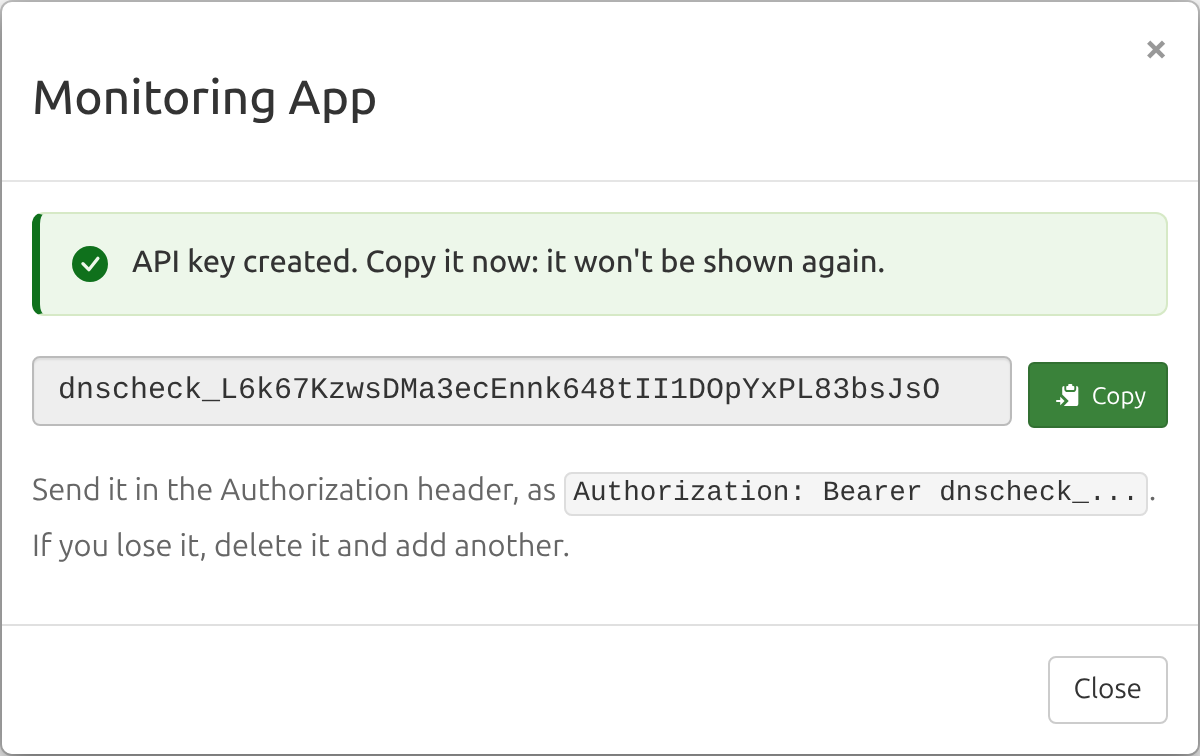
Treat an API key like a password: anyone who has a key can do whatever its access level allows. For each new key, we store only a hash and its first few characters, not the full key, so we can't show you the full key again after you create it.
Send the key in the Authorization header of each request, rather than in the URL, where it can end up in logs:
Authorization: Bearer dnscheck_...API v1 also accepts the key as an api_key query parameter, for tools that can't set a header. API v2 accepts only the header and rejects requests with the key in the URL (api_key_in_query).
Adding an API Key
The account owner and Admin team members can add up to 20 API keys per account. A key belongs to the account, not to the person who added it, so it keeps working if they leave the team.
Here's how to generate a DNS Check API key:
- Log in to your DNS Check account.
- Click the Account menu in the top-right corner, then click API Keys:

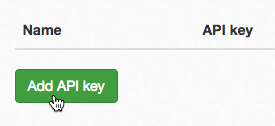
- Click the Add API key button:
- Give the API key a name, choose its Access, then click Save. Leave Enabled switched on, or the key won't work until you enable it.
- Click Copy to copy your new API key, and store it somewhere safe. It won't be shown again: if you lose it, delete it and add another.
Managing API Keys
The API Keys page lists each key by name, with the start of the key, its access, and when it was last used, so you can find and delete keys you no longer use. To temporarily disable an application without deleting its key, choose Disable from the menu at the end of its row: requests that use it are refused (with api_key_invalid, in API v2) until you enable it again. Older keys, which are 32 hexadecimal characters with no prefix, can still be shown in full there.
Key Format
For secret scanners and anyone writing a detector: DNS Check API keys match dnscheck_[0-9A-Za-z]{40}. The first 34 characters after the prefix are random, and the last 6 are a checksum of them, so you can confirm a match without contacting DNS Check.
The checksum is the CRC32 of the 34 random characters, written in base62 with the digits 0123456789ABCDEFGHIJKLMNOPQRSTUVWXYZabcdefghijklmnopqrstuvwxyz, most significant first, padded with leading zeros to 6 characters. In Python:
import re
import zlib

BASE62 = "0123456789ABCDEFGHIJKLMNOPQRSTUVWXYZabcdefghijklmnopqrstuvwxyz"

def is_dns_check_key(key):
    if not re.fullmatch(r"dnscheck_[0-9A-Za-z]{40}", key):
        return False
    random_part, checksum = key[9:-6], key[-6:]
    crc = zlib.crc32(random_part.encode())
    digits = ""
    for _ in range(6):
        crc, digit = divmod(crc, 62)
        digits = BASE62[digit] + digits
    return digits == checksum
Keys created before this format are 32 hexadecimal characters, with no prefix or checksum, so a pattern can't tell them apart from other hexadecimal strings. A key that passes the check above is shaped like a real one, but may have been deleted or disabled. If you find one that's been exposed, let us know.

Protect your DNS infrastructure with automated monitoring
Get notified immediately when DNS records change. Start monitoring your critical DNS infrastructure for free in under 5 minutes.
No credit card required • Cancel anytime