
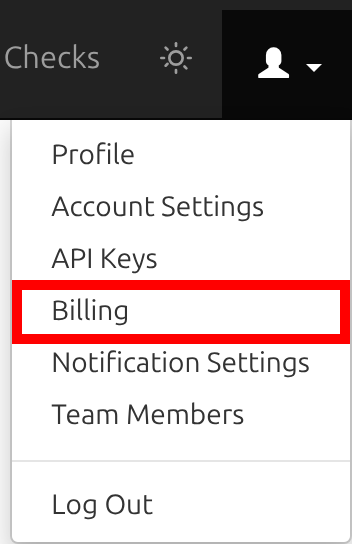
You can handle most billing tasks yourself on the Billing page. To get there, open the account menu in the top-right corner and choose Billing, or click Manage billing on your Profile page.
See Your Plan and Renewal Date
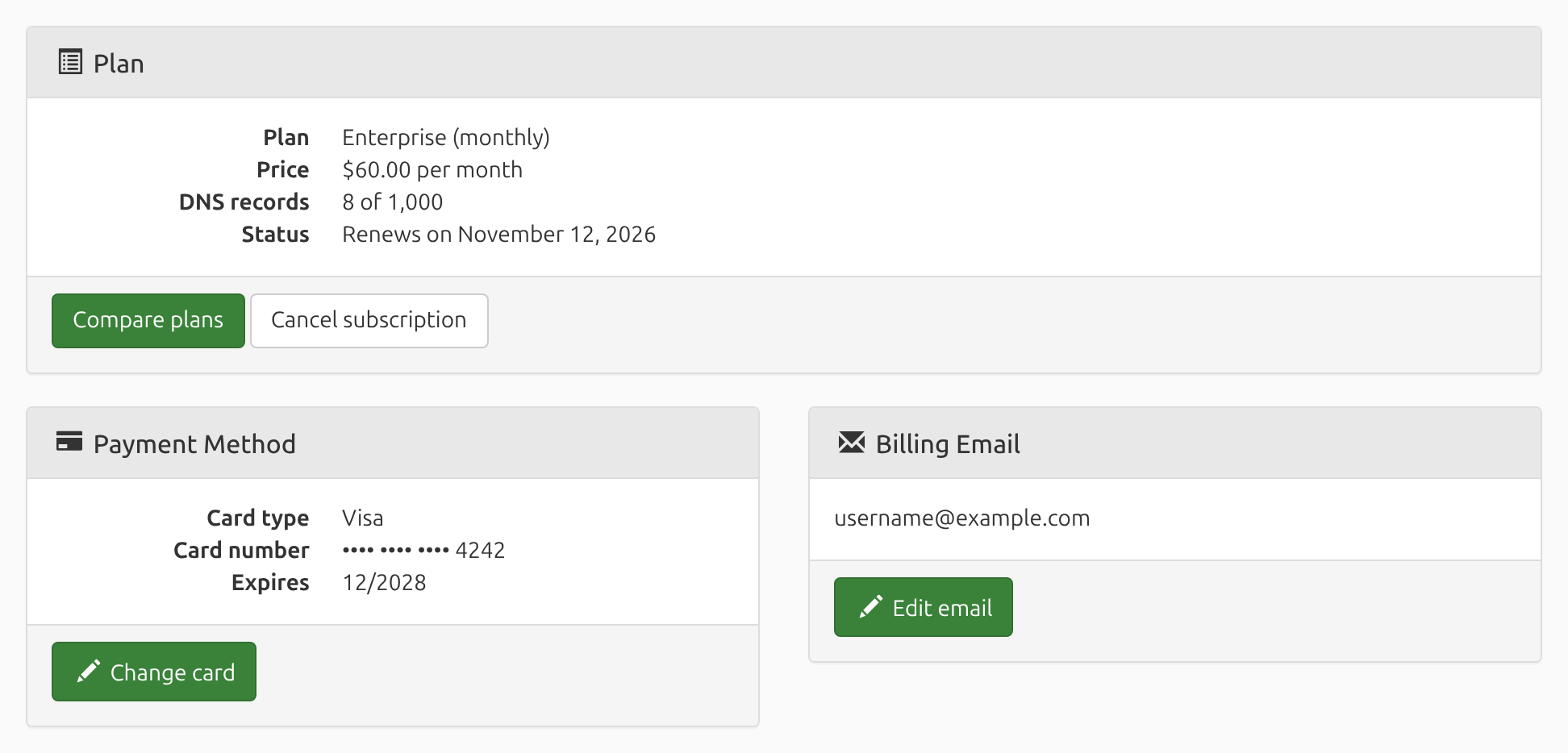
The Plan panel at the top of the Billing page shows your plan, its price, how many DNS records you're monitoring out of your plan's limit, and when your subscription renews (or, if you've canceled, when it ends).
Change Your Credit Card
On the Billing page, click Change card in the Payment Method panel, enter the new card's details, then click Save. Your next payment is charged to the new card.
Edit Your Billing Email
Receipts and payment notices go to your billing email address, which can be different from the address you log in with. To change it, click Edit email in the Billing Email panel, enter the new address, then click Save.
Change Plans
To move to a larger or smaller plan, or to switch between monthly and annual billing, cancel your current subscription and then start the new one:
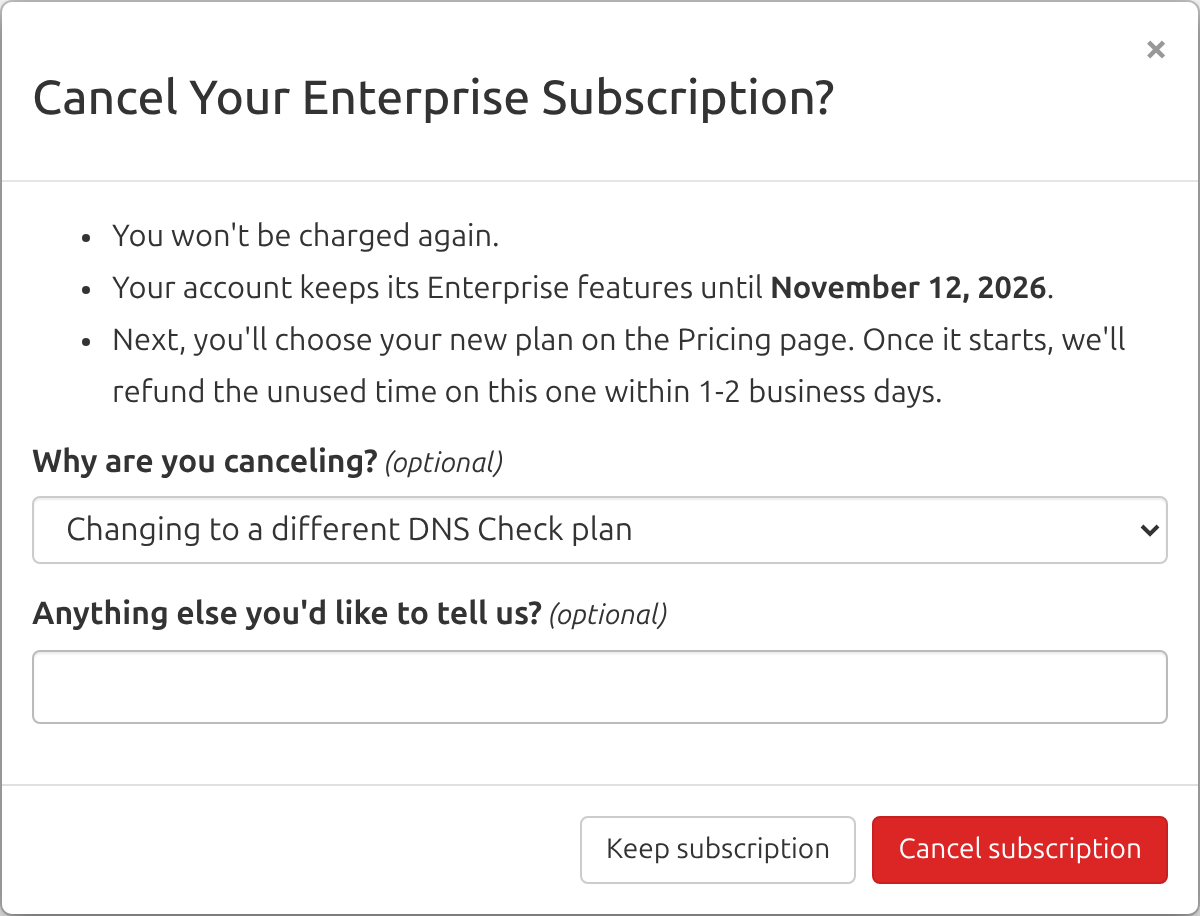
- On the Billing page, click Cancel subscription. In the window that opens, choose Changing to a different DNS Check plan as your reason, then click Cancel subscription again.
- You'll land on the Pricing page. Choose the plan you want.
We'll refund the unused part of your old subscription within 1-2 business days after your new one starts. For example, if you switch halfway through a monthly billing period, we'll refund half of your last payment.
Cancel Your Subscription
Click Cancel subscription in the Plan panel. The window that opens explains what will happen. Optionally, select why you're canceling, then click Cancel subscription again to confirm.
After you cancel:
- You won't be charged again.
- Your account keeps all of its features until the end of the billing period you've already paid for.
- When that period ends, your account changes to a free Basic account, as long as you're monitoring 10 or fewer DNS records. If you're monitoring more, they're only checked hourly and can't be edited until you delete enough of them or subscribe again.
If you'd rather end your subscription right away and get a pro-rated refund for the rest of the billing period, contact us.
Resume a Canceled Subscription
Changed your mind? Until your subscription ends, the Billing page shows a Resume subscription button in place of Cancel subscription. Click it, and your subscription carries on as if you'd never canceled: it renews on its usual date, and you aren't charged anything extra.
Once your subscription has ended, the Billing page shows Renew subscription instead, which starts a new subscription, until your account changes to a free Basic account. After that, use Upgrade account.
Downgrade to a Free Basic Account
There's no separate downgrade step. Cancel your subscription, and within 24 hours of your paid billing period ending, your account becomes a Basic account, as long as you're monitoring 10 or fewer DNS records.
Receipts and Invoices
We email a receipt to your billing email address when you first subscribe, and again each time your subscription renews.
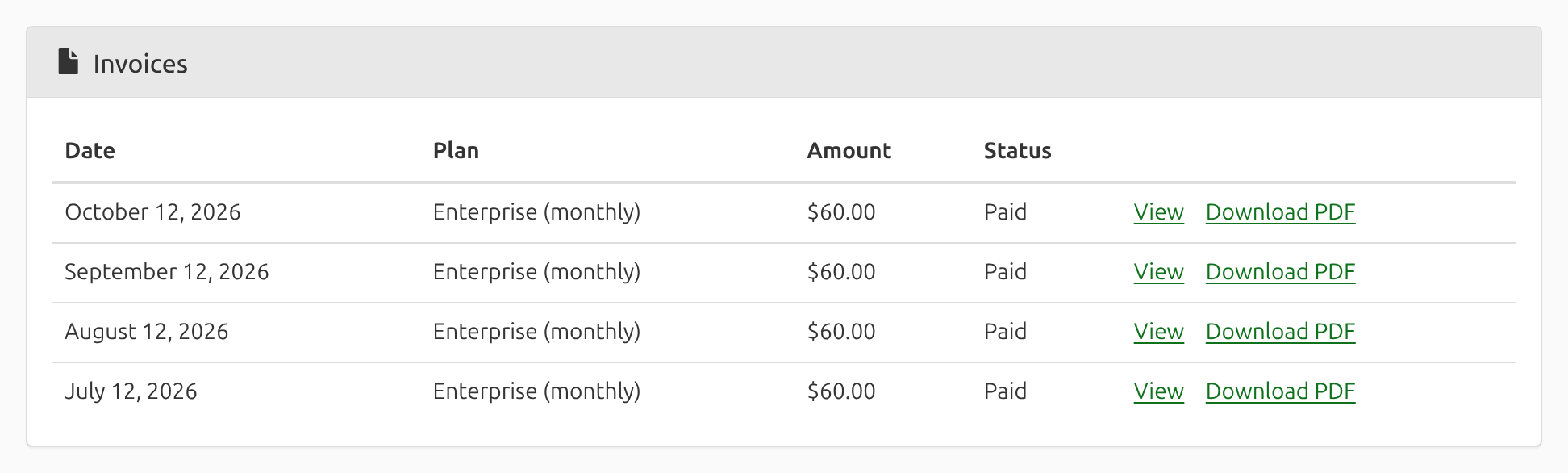
Your past invoices are also listed in the Invoices panel on the Billing page, with each one's date, plan, amount, and status. Click View to open an invoice, or Download PDF to save a copy.
Refunds
If you're not 100% satisfied, contact us, and we'll refund your past 90 days of service, no questions asked. See our 100% Satisfaction Guarantee for details.
Paying by Invoice or Check
You can pay by invoice or check for a year at a time instead of by credit card. Contact us to set that up. The Billing page shows the date your account is paid through, with a reminder once that date is 30 days away.
Team Members and Billing
Only the account owner and team members with the Admin role can open the Billing page and manage the subscription.
Still Have a Question?
Contact us, and we'll be happy to help.